Many marketing emails, and a growing number of personal ones, contain an image you never see. It is usually a single transparent pixel. Its only job is to tell the sender that you opened the message, when you did, and often where you were.
How a tracking pixel works
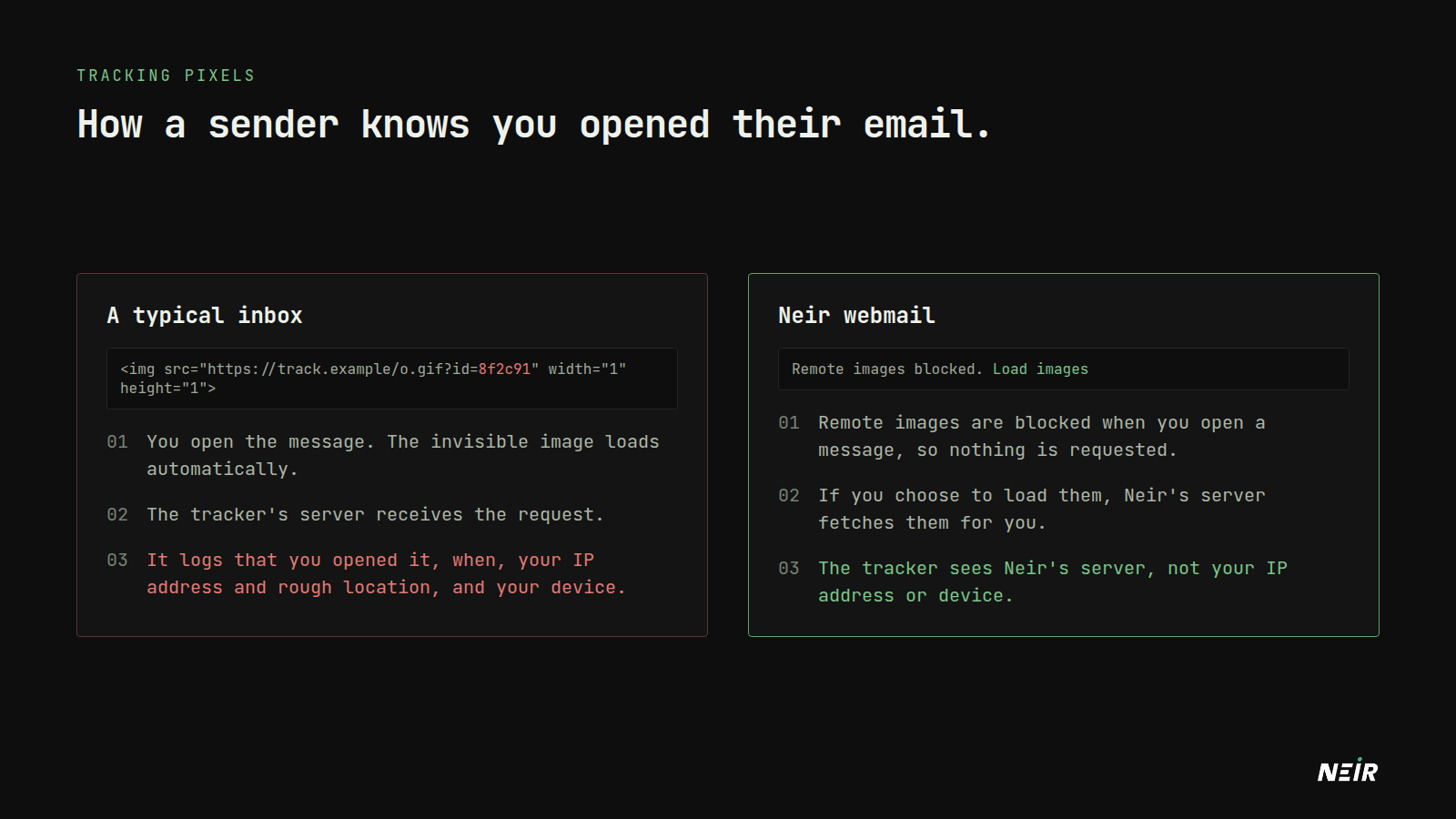
An HTML email can include images that are not attached to the message but loaded from a web server when you open it. A tracking pixel is one of those images, with a unique code in its address:
<img src="https://track.example/o.gif?id=8f2c91" width="1" height="1">
When your mail app loads it, the tracker's server receives a request that reveals:
- That you opened this specific email, because the code is unique to you.
- When, to the second, and how many times.
- Your IP address, which gives a rough location and often your employer or internet provider.
- Your device and mail app, from the request headers.
Why it matters
A single open notification sounds harmless. In practice it is used to:
- Confirm that an address is real and active, which makes it more valuable to spammers and data brokers.
- Track when and where you read mail, across many messages over time.
- Link your work and personal identities when the same IP address shows up for both.
Tracking links work the same way. Parameters like utm_source or fbclid added to a link tell the sender exactly which email, and often which person, a click came from.
How Neir handles it
Neir webmail blocks remote images when you open a message, so nothing is requested and nobody learns you opened it. A small banner tells you images were blocked.
If you choose Load images, they are fetched by Neir's server instead of your browser. The sender's server sees a request from Neir, not your IP address, device or location.
Neir also removes common tracking parameters from links before you open them, including utm_ tags, fbclid, gclid and msclkid. Both protections are on by default and can be changed in webmail settings.
A note on fairness
Neir has an open-tracking option for your own outgoing mail. It is off by default, and we would encourage you to leave it that way. If you would not want it done to you, it is worth not doing it to others.
Protecting yourself elsewhere
If you use other mail apps as well:
- Turn off automatic image loading. Most clients have the setting, usually under privacy or reading options.
- Prefer plain text for mail from senders you do not trust.
- Be wary of "view in browser" links, which load the full tracked version of a message.
Photo: Siarhei Horbach on Unsplash.