
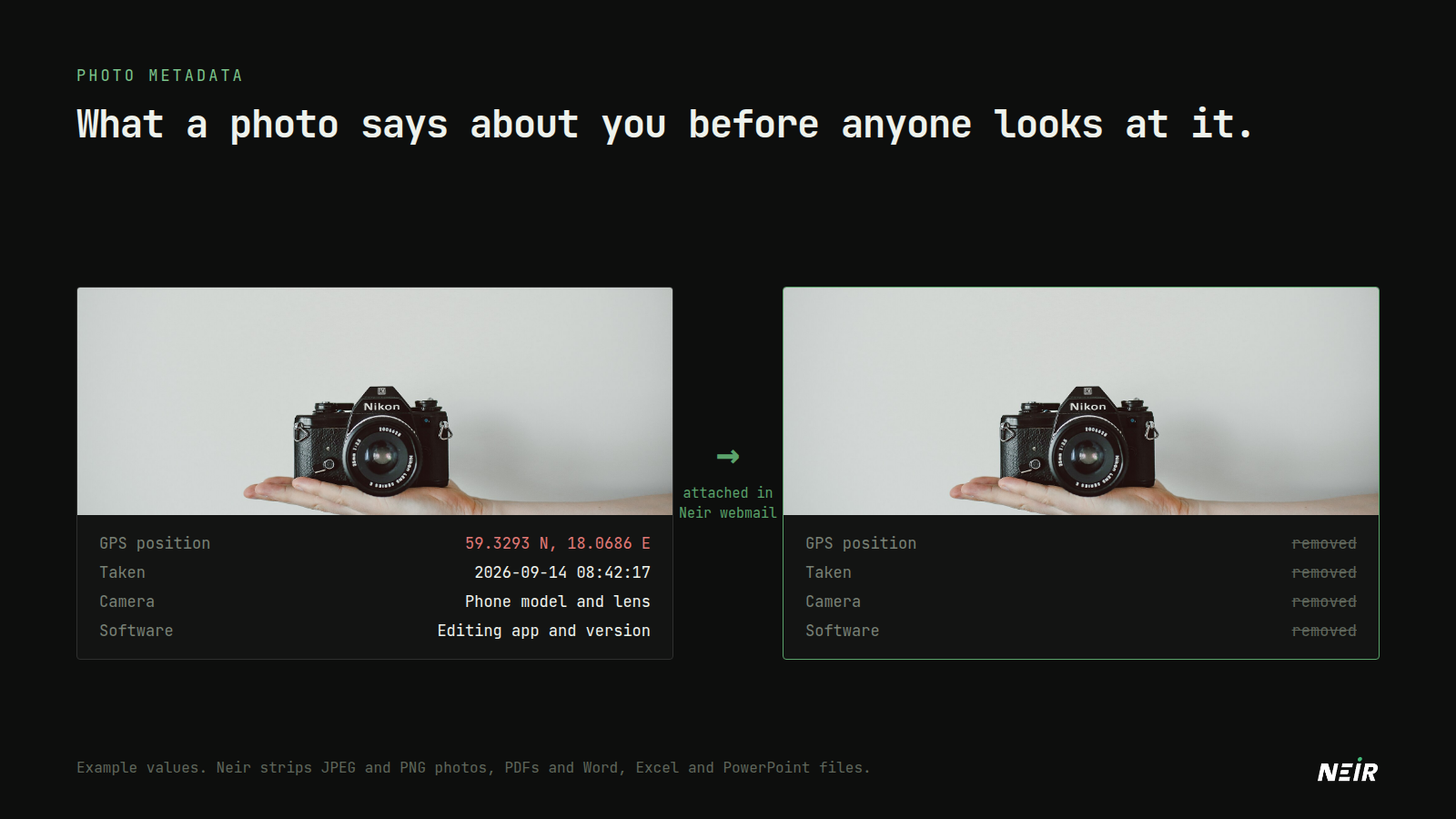
Every photo taken on a phone carries more than the picture. Hidden inside the file is a block of metadata, usually called EXIF, which can include exactly where the photo was taken, when, and on which device.
Send that photo as an email attachment and the metadata goes with it.
What is inside a photo
Depending on the device and its settings, a photo can contain:
- GPS coordinates, often precise enough to identify a house.
- The date and time it was taken, to the second.
- The camera or phone model, and sometimes its serial number.
- The software that edited it, and the edit history.
- A thumbnail of the original image, which can survive cropping in some editors.
Documents do the same. A PDF or Word file usually carries the author's name, the organisation the software is registered to, and when it was created and last edited.
Why it matters
Some real situations where metadata gives away more than intended:
- Selling something online with photos taken at home, which reveal your address.
- Sending a document to a journalist or regulator that names its author.
- Sharing a photo of a place you visit regularly, which reveals a routine.
How Neir handles attachments
Neir webmail strips metadata from attachments when you add them to a message. Both settings are on by default:
- Photos: EXIF data, including GPS position, camera details and embedded comments, is removed from JPEG and PNG images.
- Documents: author, organisation, title and timestamp fields are cleared from PDFs and from Word, Excel and PowerPoint files.
The content of the file is not changed. You can turn either setting off in webmail settings if you need to send originals, for example to a photographer who needs the camera data.
Some limits to know about:
- Other formats are sent unchanged. iPhones save photos as HEIC by default, and HEIC files are not stripped. Use "Most Compatible" in the iPhone camera settings, or export as JPEG before attaching.
- It applies to attachments sent from webmail, not to mail sent from a desktop client such as Thunderbird.
- Metadata is not the only clue. A street sign, a window view or a reflection can reveal as much as GPS coordinates.
Removing metadata yourself
Before sharing a photo anywhere else:
- On iPhone, tap Options on the share sheet and turn off Location.
- On Android, most galleries offer to remove location when sharing; you can also turn off location tagging in the camera settings.
- On a computer, use a metadata remover or re-export the image. Check the result with an EXIF viewer.
Photo: Glenn Carstens-Peters on Unsplash.